Launch week sale: 50% off through April 15 with code LAUNCH50

Launch week sale50% offLAUNCH50Through April 15Launch week sale50% offLAUNCH50Through April 15Launch week sale50% offLAUNCH50Through April 15Launch week sale50% offLAUNCH50Through April 15Launch week sale50% offLAUNCH50Through April 15Launch week sale50% offLAUNCH50Through April 15Launch week sale50% offLAUNCH50Through April 15Launch week sale50% offLAUNCH50Through April 15
local.backgroundrm
Before / after examples

See how quickly cluttered photos become clean product images

Product: ecommerce watch
For store listings, ads, and polished product cards
Product: ecommerce watch after background removalProduct: ecommerce watch before background removal
BeforeAfter
Vehicle: marketing cutout
For launch pages, comparison graphics, and hero comps
Vehicle: marketing cutout after background removalVehicle: marketing cutout before background removal
BeforeAfter
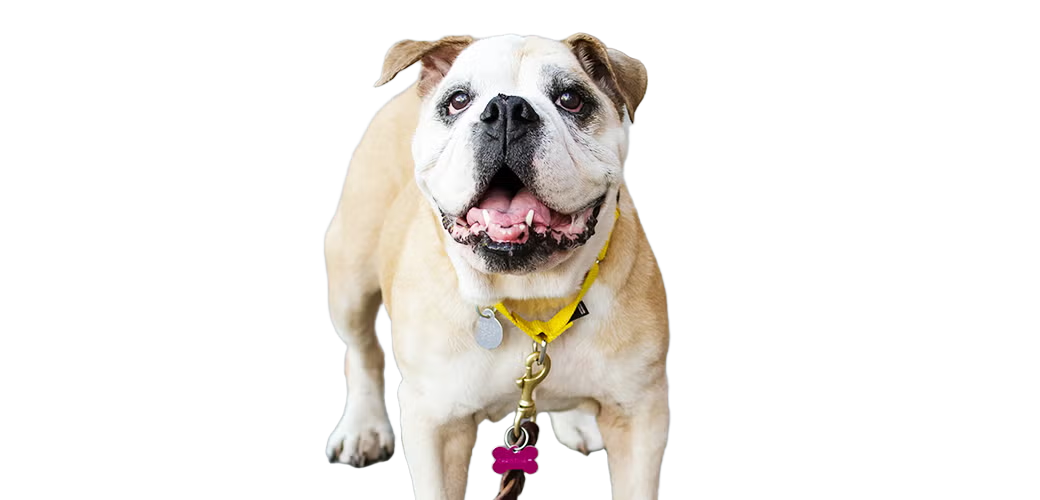
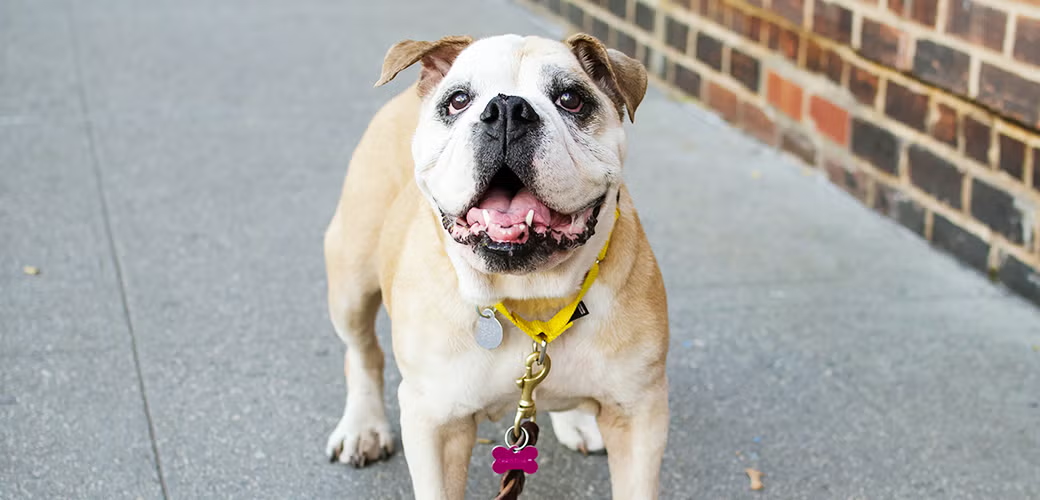
Pet: profile-ready cleanup
For creator brands, merch, and shareable social assets
Pet: profile-ready cleanup after background removalPet: profile-ready cleanup before background removal
BeforeAfter
See more examples
Local and private

Remove backgrounds privately on your Mac.

Remove backgrounds offline on your Mac for product photos, portraits, and marketing images without upload-first tools. Start with the Mac app, and use the CLI only if you want batch automation.

Great for product photos and portraitsOne-time pricingOffline and private on your MacBatch background removal
Local background removal

Your files stay on-device while you remove backgrounds on your Mac.

Offline Mac workflow

Keep processing product photos even if your connection drops.

One-time purchase

No monthly subscription for private, batch-friendly background cleanup.

Desktop app workflow

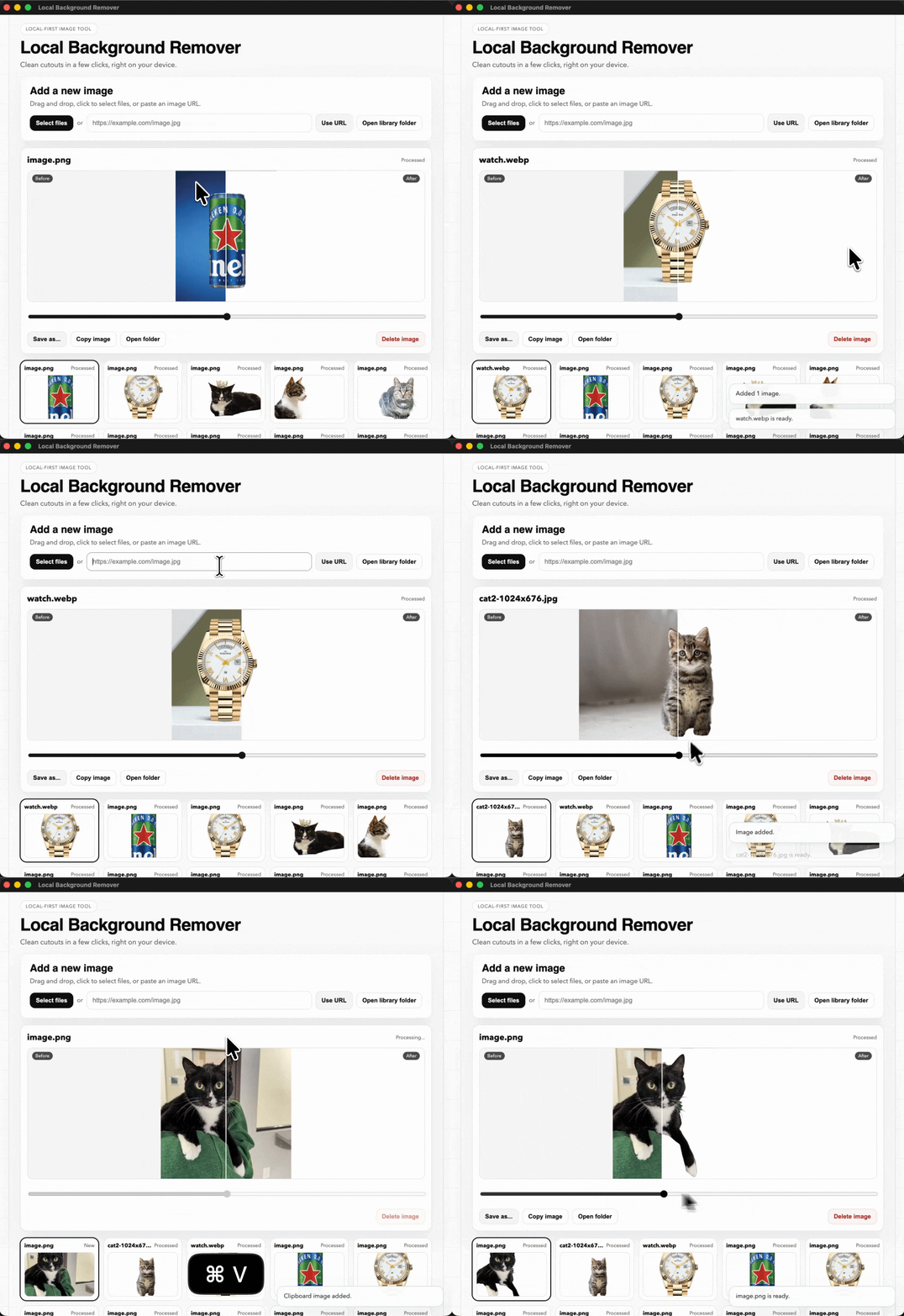
Start from a file, a URL, or your clipboard

In the macOS app, you can select a file from disk, paste an image URL, or use Cmd+V to drop an image from your clipboard. As soon as an image is added, background removal starts automatically, usually taking about 1.2 - 1.5 seconds per image. You can move through previous images in the gallery, then press Cmd+C to copy the selected result into Canva, Photoshop, Illustrator, WhatsApp, and similar tools.

File / URL / Cmd+V
Choose a source
Select a file from disk, read an image from a URL, or press Cmd+V to paste an image straight into the app.
1.2 - 1.5s
Auto-remove on import
When an image is selected, background removal starts automatically and usually finishes in about 1.2 - 1.5 seconds per image.
Gallery history
Move through earlier results
Navigate previous images in the gallery to review older cutouts without re-importing them.
Cmd+C
Copy into the next tool
Press Cmd+C in the app and the selected processed image is copied to the clipboard, ready for Canva, Photoshop, Illustrator, WhatsApp, and more.
Input options in action
See the local desktop flow: import, process automatically, browse the gallery, and copy the selected cutout onward.
Local-first app
Desktop app showing file selection from disk, URL import, before and after comparison, gallery navigation, and clipboard copy actions.

Choose the version that fits how you work

The app is the easiest place to start. The CLI is there if you want scripts, batches, or coding-agent automation.

Desktop App
Best for most people who want a simple Mac app for product photos, portraits, and quick edits.
  • Simple app workflow on your Mac
  • Great for visual checks before export
  • Best choice for everyday image cleanup

Optional CLI for scripts and coding agents

Most people should start with the app. If you also want local automation, the CLI works with scripts and coding agents.

Example CLI command
A quick example for developers who want a machine-readable local workflow.
rmbg remove --input elon.webp --json

What comes back

{
  "ok": true,
  "input_path": "/rmbg/elon.webp",
  "output_path": "/rmbg/elon_clean.png",
  "duration_ms": 1142
}
See the result
Drag the slider to compare the original photo with the generated PNG.
Elon after background removalElon before background removal
BeforeAfter
Open CLI docs
Open source

The code is open source

Local Background Remover is built in public. You can inspect the app, CLI, licensing flow, and install scripts in the GitHub repo.

If you want to audit how it works, follow development, or contribute improvements, the full source is available at cuevaio/local-background-remover.

Advanced automation

Need scripts or coding agents? The CLI is ready.

Most buyers should start with the app. If you also want repeat batches, scripts, or coding-agent workflows, the rmbg CLI gives you a local command-line option that fits automated image cleanup.

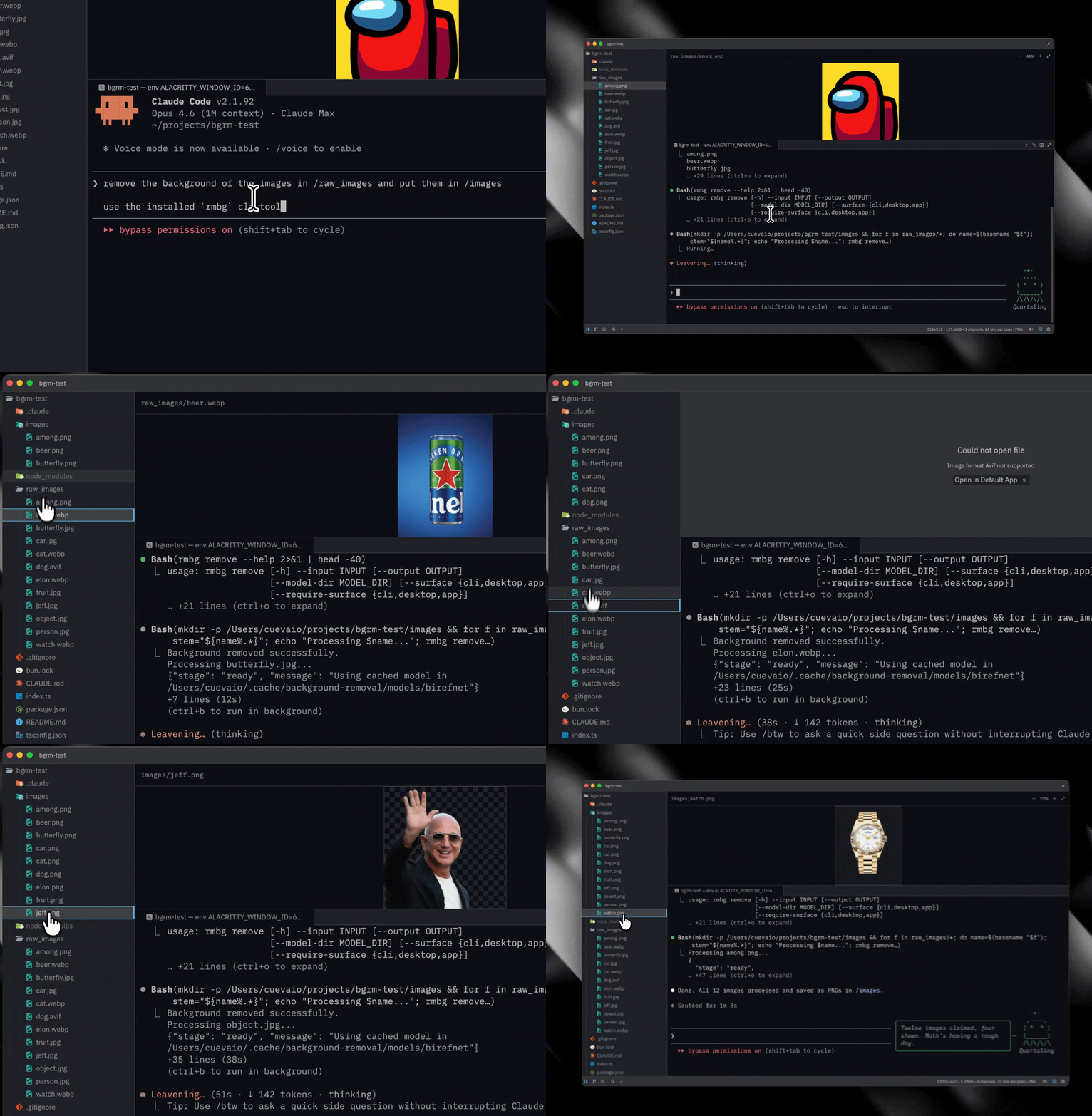
Claude Code
Same prompt, local CLI execution

Prompt

remove the background of the images in /raw_images and put them in /images

use the installed `rmbg` cli tool
Claude Code using the rmbg CLI to remove backgrounds from images in /raw_images and save results to /images.
OpenCode
Same prompt, local CLI execution

Prompt

remove the background of the images in /raw_images and put them in /images

use the installed `rmbg` cli tool
OpenCode using the rmbg CLI to remove backgrounds from images in /raw_images and save results to /images.
A clearer workflow

Clean edges are easy.Clean handoffs win.

Local Background Remover combines desktop review, command-line speed, and offline reliability in one lean stack.

Fast. Private. Repeatable. Built for people who care about craft.

Customer stories

Trusted by makers who ship every week

Independent designers, founders, and builders using local background removal for daily creative output.

Desktop polish

The app makes client polish rounds way faster. I no longer bounce between upload tools, folders, and manual exports.

Elena Morin avatar

Elena Morin

Solo Brand Designer

Northstar Studio

CLI shipping

I replaced a brittle script chain with one reliable command. Batch exports are finally predictable.

Marco Lin avatar

Marco Lin

Indie Hacker

Launchlane Labs

Offline workflow

Offline after activation is huge for our field shoots. We finish edits on-site without waiting for network access.

Priya Shah avatar

Priya Shah

Founder

Verde Commerce

Weekly batches

Batch jobs are predictable now. I can estimate turnaround and hit launch windows without fire drills.

Dan Wilson avatar

Dan Wilson

Freelance Creative

Atlas Studio

Fast setup

The split between app and CLI keys is clear. Buying once and getting to work feels refreshingly simple.

Maya Patel avatar

Maya Patel

Bootstrapped Founder

Bright SKU

Hybrid flow

My pipeline is cleaner: generate assets with CLI, spot-check in app, and ship with confidence.

Rui Alvarez avatar

Rui Alvarez

Product Designer

Pixel Harbor

Questions before checkout

Purchase confidence
Clear purchase terms
Frequently asked questions

Ready to clean up images without upload-first tools?

Start with pricing, then install when you are ready.